- Role
- User Research, Wireframing, Prototyping
- Team
- Intel Design Team
- Company
- Intel
Goal
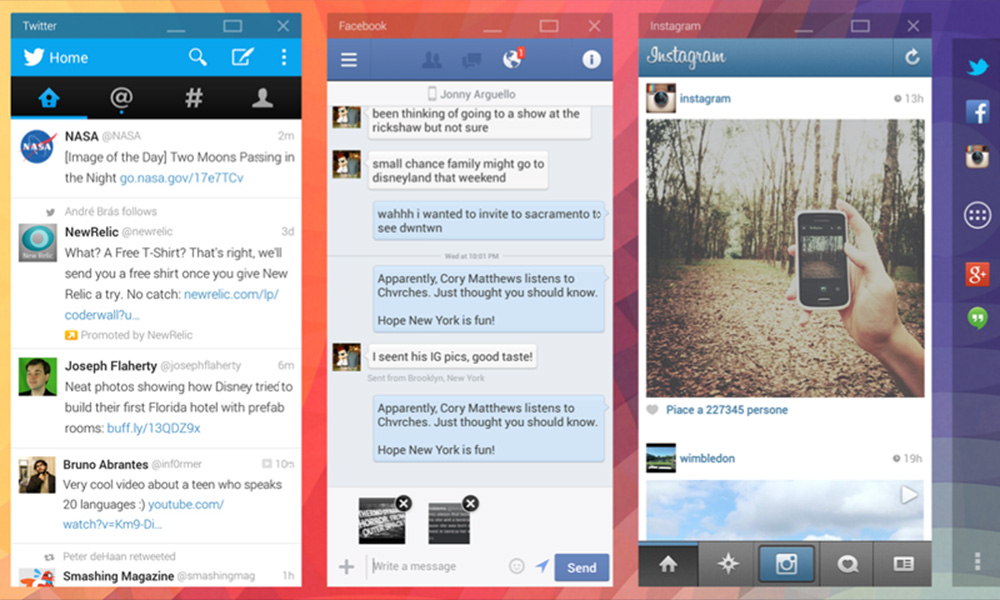
Create a compelling multi-window experience for Android that scales across devices.
Design
A solution that works with mouse and touch which lets users easily manage windows on the Android home screen.
Context
More and more users are coming from a mobile perspective, their first computing experience is with a smartphone or tablet. In the mobile environment the application is king, files are secondary.
Process
- Benchmark & user research to identify needs and challenges.
- Technical specifications of the prototype’s behaviours.
- Documentation for communication with stakeholders.
- Collaboration with the engineering team for prototype development.
Key requirements
- Communicate to the user which window is active now.
- Define a grid system with rules to manage window placement and snapping.
- Elegantly manage the transition when a larger display is connected to the device (output scaling, window re-flow).
- Support touch as well as mouse/keyboard.
- Address potential conflict between the back button and content in far removed windows on larger displays.
Research
A 3 weeks research project aimed at learning from people’s current usages, culminating in concept validation in user testing sessions.
Research: Key findings
- Constrained model: A constrained model allows for users to see what is open at all times. They can choose to work with full screen apps if they wish to do so.
- Made for touch: Non-overlapping windows have better and easier touch targets for direct window manipulation.
- Consistency: Users switch quickly between devices and displays during the day. Giving them a consistent experience across devices and displays is crucial.
- No hidden information: Users struggle to find hidden windows or waste time managing the windows to uncover information. Non-overlapping windows give a cleaner and clearer visualisation of all the content in windows.
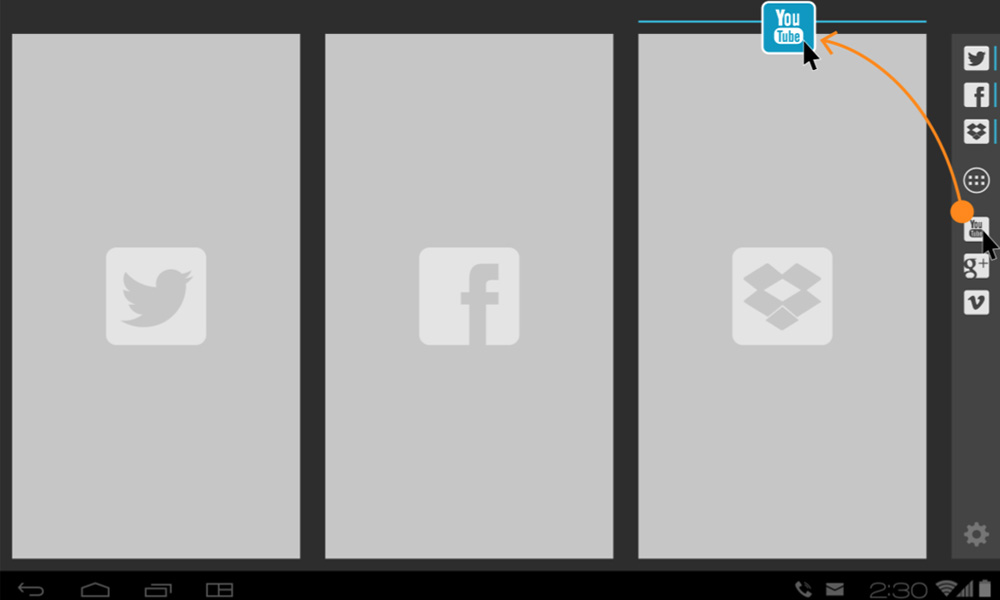
Key window operations
- Open app into window
- Open subsequent applications into separate windows in the same ‘space’
- Minimise a window
- Maximise a window
- Close a window
- Display and easily manage minimised windows
- Resize a window
- Move a window to a new position
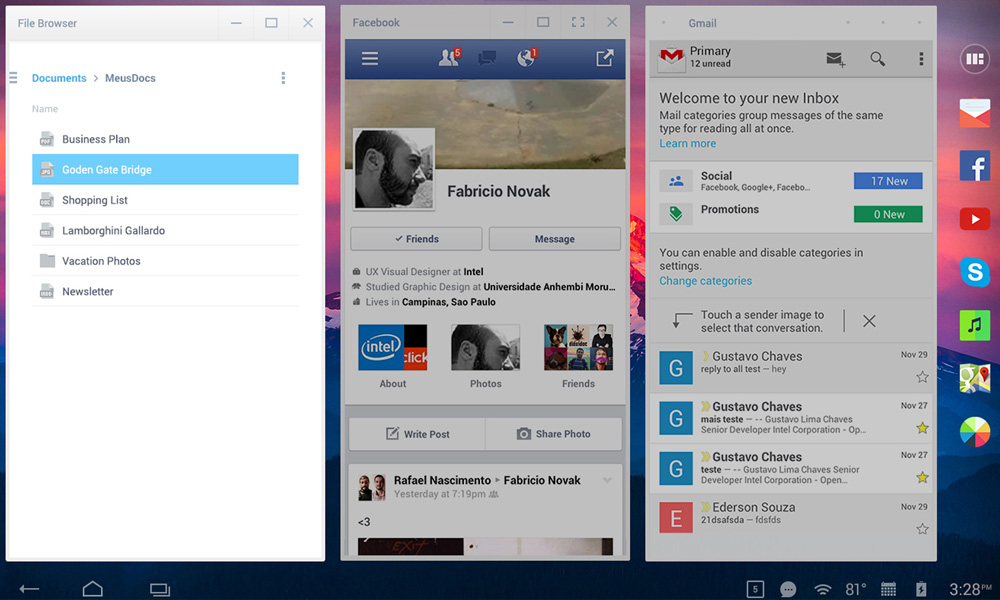
A mouse-oriented version of the multi-window solution.
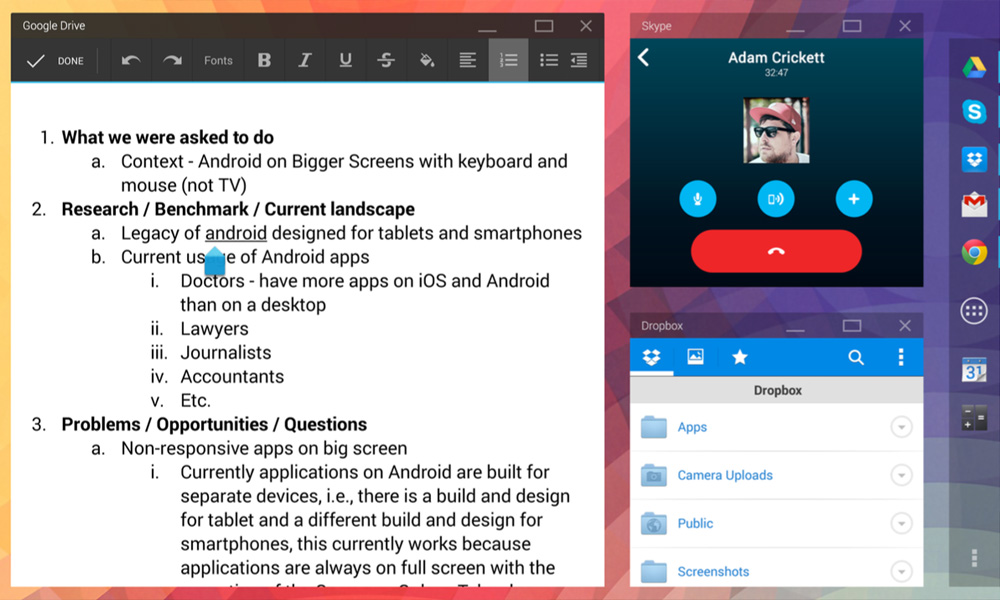
A touch-oriented version of the multi-window solution.